Candidates
The candidates advanced search looks for all people records with a role of candidate that match the criteria from the template. All options presented are fields located on the candidate record. To search for supplier candidates use the advanced person search template.
1) Click the Searching tab on the main navigation tab bar and select the Search Center link.
2) Locate the Advanced Searches, in the Formal Searches at the bottom of the segment, and select Candidates from the list.
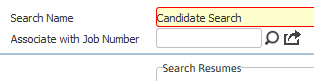
3) The search template will open in a new window and rename the search as desired. While updating the form, click on the buttons to the right of certain fields to open a new window which will allow you to search and select options related to that specific field or choose a date.
4) The template is divided into sections of like criteria, scroll to update:
Associate with Job Number – this option is located above the criteria with the search name field. Populate a job order to create a link between the results and the job order. This is helpful for OFCCP reporting requirements. NOTE: The number of search results returned if you use this field must be equal to or less than the search results limit set up in System Settings. If it is greater than the limit, you will be asked to refine your search to return fewer results.
Candidate Criteria:
Search Resumes / Journals – are free text boxes where keywords are found in the default resume listed on the Candidate’s Resume segment or in the notes section of journal postings. Click on the  icon to view the search logic terms that can be used in this text box.
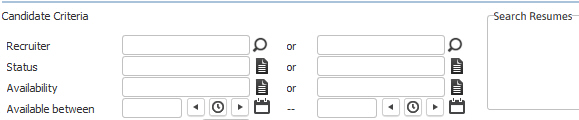
Hot Candidate – is a flag on the candidate record used to alert the recruiter the candidate is highly marketable.
Ranking – is a weighting system where 1 is the lowest and 5 is the highest ranks available.
Also a Contact – is another flag on the candidate record to alert the recruiter this person also has a contact record and works for a client.
Preference - allows you to search on a candidate's job preference (e.g., Contract Only, Direct Hire Only, etc.).
Division / Branch – a record can only have one Division/Branch but options are given to search in multiple divisions and branches at the same time.
Web Login – theoretically the same login can only exist once in the database; however, if the login is deleted or removed from the candidate record it is no longer locatable via a Lookup but can be found via this field.
Birthday – searches both the month and day of the candidate’s birthday.
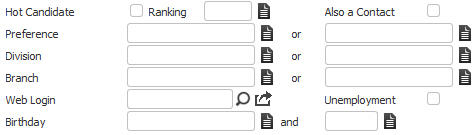
Addresses:
Physical, Tax and Alternate Mailing addresses
Email – searches both email one and two fields
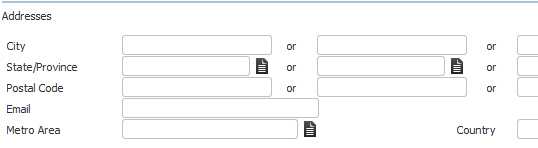
Proximity Search on Home Addresses– searches on postal code for the physical address.

Phone Numbers – searches on the area code or complete phone number.

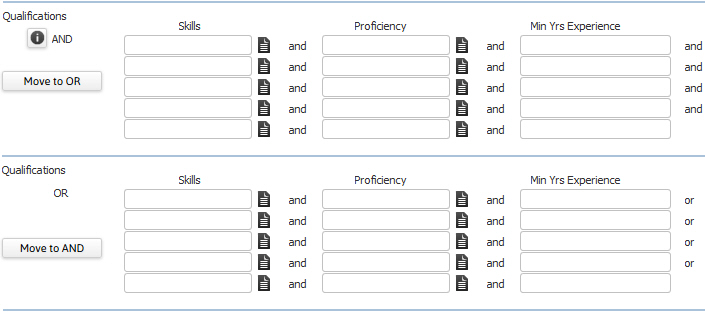
Qualifications – skills, the candidate’s proficiency level in those skills and years of experience at those skills.
Professional tests, the level, score the candidate earned and expiration date of the test (if applicable).

Job categories, Education History and Professional Certifications with expiration dates (if applicable)

Languages candidate knows, veteran status, disability status and security clearances. NOTE: You can only search on Veteran Status or Disability if you are a Federal Contractor (see System Settings) and the search is associated with a job order.

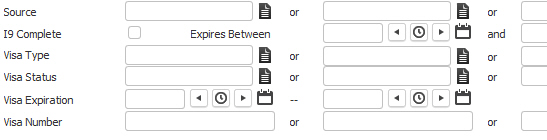
Source, Visa and I9 information
Relocation and Travel – location and travel preferences

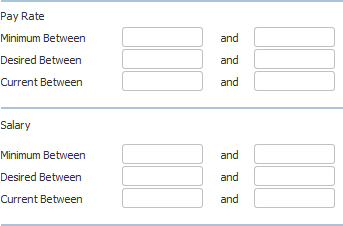
Pay Rate and Salary – pay preferences for both contract and direct jobs
Employment History – previous assignments or employment
Current Employer – searches all active contract assignments and direct placements.
Previous On Assignment At – searches all contract assignments and direct placements with an ended or replaced status.
Previous Employer – searches the company record on all previous employment records; these are work history records outside of the candidate’s association with the staffing firm.

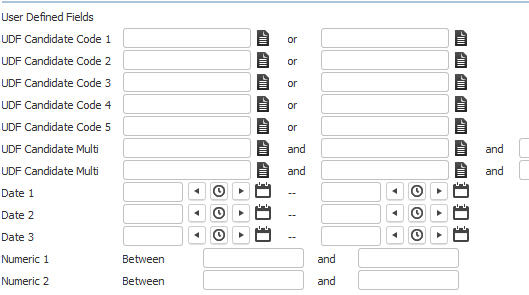
User Defined Fields – allows searching on any UDF associated with the Candidate record.
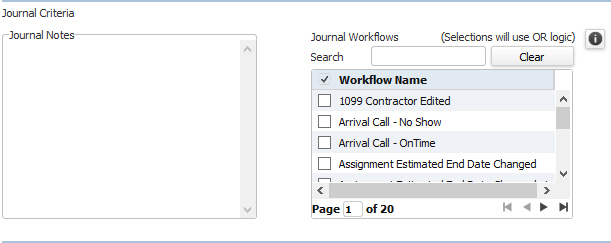
Journal Criteria:
Journal Criteria – allows you to search for text within Journal Notes.
Journal Workflows – allows you to search for specific journal workflows.
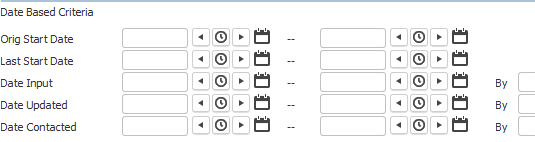
Date Based Criteria – input and contacted dates and person who completed activity
5) Click Run to generate the search.
Click Cancel to close the search template without running the search or click Clear All to empty the criteria fields.
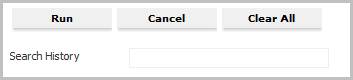
Note: the Search History is populated with the current date and time when the search is run and is used when re-fining or re-running the search.