Delete A/R Payment
PayBill > A/R Payment Edit Window > Delete Button

|
Delete A/R Payment PayBill > A/R Payment Edit Window > Delete Button |
|

Delete A/R Payment allows you to delete a payment that:
has not been posted
is not selected for posting or proofing
is not in use by another user
Deleting an A/R Payment
Make sure there that the A/R Payment you want to delete is displayed in the Detail Pane (If you do not have one displayed, you can use the A/R Payment Look Up functionality).
Click the Delete button and the following message appears:
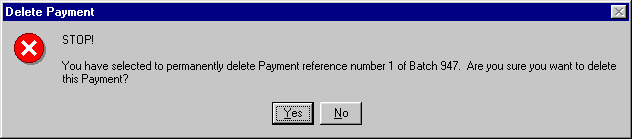
Note: Make sure the batch ID and reference number listed matches the A/R Payment you want to delete.
If the reference number listed matches the reference number of the A/R Payment you want to delete, click  . If the reference number does not match (or you decide not to delete the A/R Payment), click
  .
.
If you click , the system responds with the following message:
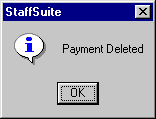
Click  .
.
Related Topics:
|
|
|